A great website can still be invisible to AI if its pages are difficult for automated systems to access, understand, or trust. That’s frustrating, especially when your content answers real customer questions better than the generic pages already appearing in AI responses.
Learning how to make website crawlable by ChatGPT is less about chasing a secret ranking trick and more about removing friction. We need to give the right crawler permission, ensure important pages load properly, create clear content paths, and publish answers that make sense outside the context of your site.
OpenAI explains that OAI-SearchBot is used to surface websites in ChatGPT search features. It also notes that crawler changes in your robots file can take about 24 hours to adjust, so technical updates need a little patience before you judge results. OpenAI’s crawler documentation is the best source for the current bot names and behavior.
The Difference Between Being Crawlable and Being Mentioned
Crawlability means an automated system can reach and read a page. Visibility is the next step, where ChatGPT may decide your page is a useful source for a particular question. You need both, but they are not the same thing.
A page can be technically accessible yet still earn few mentions because it is vague, thin, outdated, or poorly organized. On the flip side, a deeply useful article cannot help your audience if a crawler hits a blocked page, login wall, or endless loading screen.
| Goal | What It Means | What We Need to Fix |
|---|---|---|
| Crawlability | Bot can access the page | Robots rules, server access |
| Indexability | Page can be understood and stored | Clean HTML, canonical tags |
| AI visibility | Page can support an answer | Clear, useful, credible content |
| Referral traffic | People visit from ChatGPT | Strong intent match, helpful pages |
1. Allow OAI-SearchBot in Your Robots File
For ChatGPT search visibility, OAI-SearchBot is the important user agent. GPTBot has a different purpose, related to content that may be used to improve OpenAI foundation models. You can allow one while blocking the other.
Your robots.txt file usually lives at yourdomain.com/robots.txt. If your goal is to make public content eligible for ChatGPT search, use a clear rule like this:
User-agent: OAI-SearchBot
Allow: /
If you want to allow ChatGPT search access while opting out of GPTBot, your file can look like this:
User-agent: OAI-SearchBot
Allow: /

User-agent: GPTBot
Disallow: /
Do not add rules blindly. Check your existing file first because a broad Disallow: / under User-agent: * can accidentally block the pages you want surfaced.
2. Make Sure Your Important Pages Return a Clean Status Code
A crawler needs to receive a successful page response. In practical terms, your core content should return an HTTP 200 status code, not a redirect loop, access error, empty response, or server failure.
Focus on your highest-value URLs first:
- Home page
- Product and service pages
- Pricing pages
- Category pages
- Educational guides
- Case studies
- FAQ pages
- Contact and about pages
If your hosting, security plugin, or CDN returns a 403 error to automated traffic, ChatGPT cannot properly access the page. Review server logs, then test whether your firewall, rate limits, country restrictions, or bot protection rules are blocking legitimate OpenAI traffic.
Do Not Rely on User-Agent Text Alone
Bad actors can imitate a user agent. If you are configuring advanced security rules, validate OpenAI crawler traffic through the published IP information and your security provider’s verified-bot controls where available.
This is especially important for agencies managing multiple client sites. A quick firewall rule can solve one problem while quietly making an entire content library unreachable.
3. Remove Login Walls, Cookie Barriers, and JavaScript Obstacles
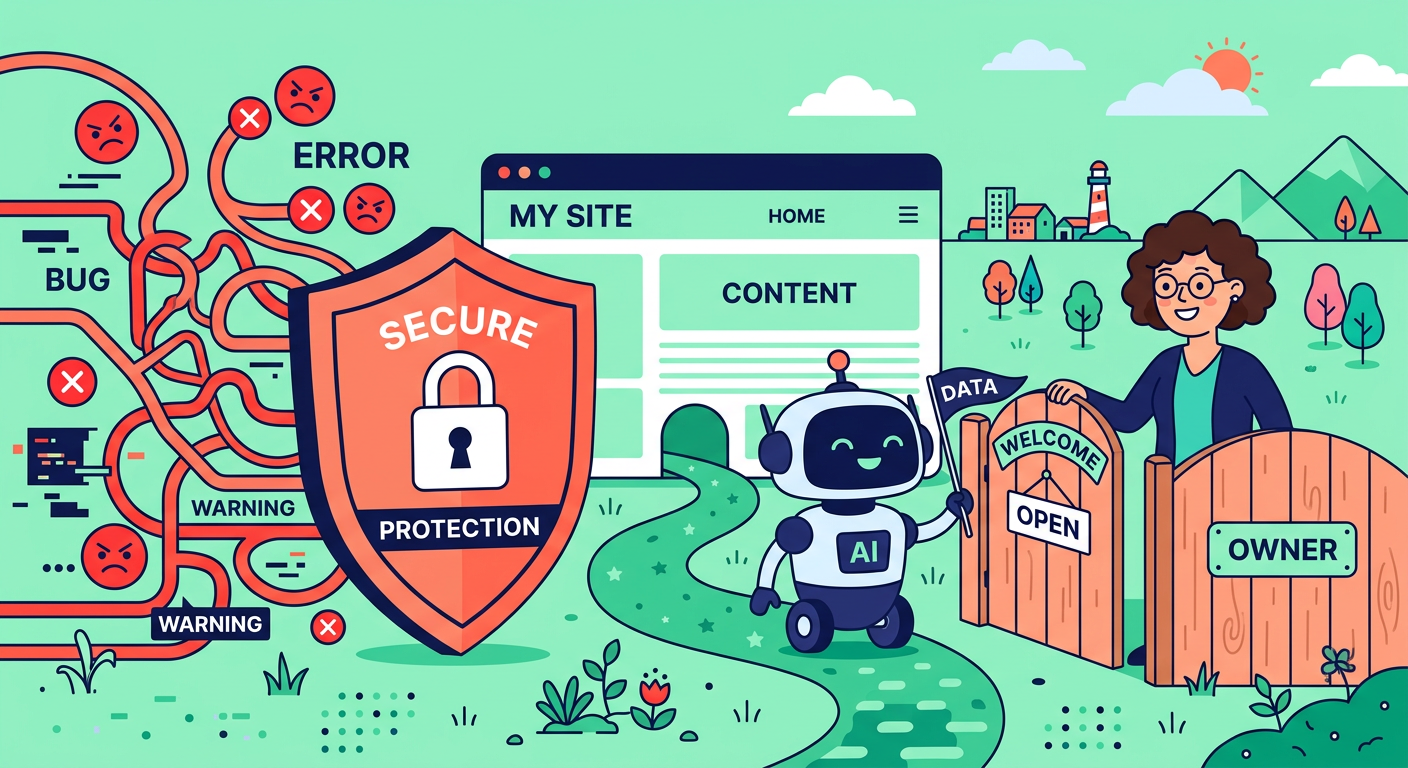
Public information needs to be publicly reachable. If visitors must log in, complete a CAPTCHA, pass a challenge, or accept an intrusive overlay before they can see your primary content, a crawler may be unable to read it.
JavaScript-heavy sites deserve extra attention. Modern crawlers can process some scripts, but relying on client-side rendering alone creates unnecessary risk. Important headings, product details, navigation links, and body copy should be present in the initial HTML whenever possible.
Ask your developer these questions:
- Does the page contain meaningful HTML before JavaScript runs?
- Can key content load without user interaction?
- Are product details hidden behind tabs or accordions only?
- Do consent tools block the main content?
- Do bot challenges trigger for known crawlers?
- Does the mobile version show the same core information?
The simpler your public content delivery, the easier it is for people, traditional search engines, and AI systems to understand.
4. Build a Logical Internal Linking Structure
Crawlers discover pages by following links. If an important article is isolated, buried several clicks deep, or only available through an internal site search box, it is much harder to find and evaluate.
We recommend creating topic clusters. Start with a main guide, then link to focused supporting pages that answer related questions. For example, this guide can connect naturally to our resources on how to get referenced by ChatGPT, AEO versus SEO, and building topical authority.
Use descriptive anchor text that tells readers and crawlers what comes next. “Learn more” is not wrong, but “learn how to improve AI search visibility” is much more useful.
Keep Orphan Pages Off Your Site
An orphan page has no internal links pointing to it. It may exist in your sitemap, but it lacks a clear place in your content ecosystem.
Audit your site for valuable pages with no internal links. Then add them naturally from relevant blog posts, service pages, navigation menus, resource hubs, and related-article sections.
5. Submit a Clean XML Sitemap
An XML sitemap gives crawlers a structured list of URLs you want discovered. It does not guarantee inclusion in ChatGPT answers, but it helps communicate which pages matter on your site.
Your sitemap should include:
- Canonical public URLs only
- Pages returning successful responses
- Recently updated content
- Important images or video pages where relevant
- No password-protected pages
- No duplicate parameter URLs
- No development or staging pages
Keep your sitemap current through your CMS or SEO plugin. Then submit it through your traditional search engine tools as part of your broader discoverability strategy. Strong crawlability supports every channel, not just AI-driven discovery.
6. Write Direct Answers Before Expanding the Explanation
ChatGPT works best with content that is easy to extract and explain. Lead each major section with a direct answer, then provide the context, examples, exceptions, and next actions.
For example, instead of writing:
Many website owners have various considerations when they think about technical preparation for AI platforms.
Write:
To make a website accessible to ChatGPT search, allow OAI-SearchBot, keep key pages public, and publish clear HTML content.
The second version is clearer for readers and more reusable in an AI-generated response. That does not mean every paragraph needs to sound robotic. It means your core point should never be hidden under a long warm-up.
Useful answer-friendly formats include:
- Clear definitions
- Short step lists
- Comparison tables
- Question-based headings
- Pros and cons
- Specific examples
- Original data and expert observations
- FAQ sections with direct responses
7. Add Structured Data That Matches the Page
Schema markup helps systems understand the type of information on a page. It is not a shortcut to automatic visibility, but it makes your content less ambiguous.
Consider relevant structured data for:
- Articles and blog posts
- Products
- Software applications
- Local businesses
- Organizations
- Reviews
- Events
- Recipes
- FAQ content
Only add markup that accurately reflects visible content. A page with fake review data or FAQs that users cannot see creates trust problems and can lead to poor results across search platforms.
For SaaS sites, structured product information, clear pricing details, and well-defined feature pages can make a major difference. The goal is simple, help machines understand what your business offers without making them guess.
8. Strengthen Trust Signals on Every Important Page
AI systems need reliable information. We should make it easy to see who created a page, why they are qualified to discuss the subject, when it was updated, and where factual claims come from.
Add the signals that real visitors appreciate too:
- Named authors and bios
- Clear company information
- Contact details
- Editorial standards
- First-hand examples
- Product documentation
- Updated dates for changing topics
- Links to original sources
- Accurate claims with useful context
Avoid publishing dozens of shallow pages that repeat the same promise with slightly different keywords. A smaller library of genuinely useful, well-maintained content is usually more valuable than a sprawling collection of near-duplicates.
9. Use Canonical Tags and Control Duplicate URLs
Duplicate content can make it harder for crawlers to determine which version of a page represents your preferred source. This happens often on ecommerce stores, SaaS sites, and websites using filtered navigation.
Common duplicate URL problems include:
- HTTP and HTTPS versions
- WWW and non-WWW versions
- Tracking parameters
- Filter and sort pages
- Print pages
- Paginated content
- Similar product variations
- Duplicate CMS archives
Use canonical tags to tell crawlers which URL should be treated as the main version. Also redirect old URLs cleanly when you replace or merge content. A tidy site architecture makes every important page easier to interpret.
10. Monitor AI Visibility After Technical Fixes
Making a site accessible is not a one-time job. Themes change, plugins update, firewall rules shift, and content teams publish new pages every week. We need a simple process for watching what changes over time.
Start by checking:
- Whether OAI-SearchBot is allowed
- Server and CDN logs for crawl errors
- Important URLs for access problems
- Referral traffic from ChatGPT
- Pages receiving AI mentions
- Prompts where competitors appear but you do not
- Content gaps around high-value customer questions
A free AI website audit can help us spot technical and content gaps without digging through every page manually. You can also use AI search tracking to track brand mentions and prompts for free, then connect changes in visibility to the work you are doing on your site.
Common Mistakes That Block ChatGPT Crawling
The biggest issues are usually not complicated. They are small configuration decisions that pile up over time.
Watch for these common blockers:
- Blocking OAI-SearchBot in
robots.txt - Blocking all bots through a CDN or firewall rule
- Requiring a login to view essential content
- Relying on JavaScript for all primary page content
- Serving repeated 429 rate-limit errors
- Accidentally applying
noindexto key pages - Creating endless parameter URLs
- Publishing important pages with no internal links
- Leaving old redirects and broken links unresolved
- Using thin, repetitive, low-value copy
Here’s the thing, technical access gets you in the door. Helpful content is what gives ChatGPT a reason to use your page when someone asks a relevant question.
Frequently Asked Questions
Does allowing OAI-SearchBot guarantee that ChatGPT will mention my website?
No. Allowing the crawler gives ChatGPT search a path to access public pages, but it does not guarantee that your site will appear for every query. Your pages still need to be relevant, useful, accurate, and easier to understand than competing sources.
Should we allow GPTBot too?
That depends on your business preference. OAI-SearchBot controls eligibility for ChatGPT search features, while GPTBot relates to content that may be used to improve foundation models. You can allow OAI-SearchBot while disallowing GPTBot if that matches your policy.
Can ChatGPT access pages behind a login?
Usually, no. If a page requires authentication, it is not a dependable source for public AI search visibility. Keep the content you want discovered on publicly accessible URLs.
How long does it take for changes to affect ChatGPT search?
OpenAI states that systems can take around 24 hours to adjust after a robots file update. Real-world visibility can take longer because crawlers still need to revisit pages and assess the content’s relevance.
Does schema markup make a site crawlable by ChatGPT?
Schema markup does not replace basic accessibility. It helps clarify what a page is about after a crawler can access the content. Think of it as an organizational layer, not a key that unlocks a blocked door.
Will a sitemap make ChatGPT find every page?
No sitemap can guarantee that every URL will be used. Still, a clean XML sitemap gives crawlers a helpful map of your important public pages and supports better technical SEO overall.
Run a Free AI Visibility Check
Want a faster way to find the gaps holding your site back? Run a free AI website audit with Marvlus to review AI visibility opportunities, page structure, trust signals, and content improvements.
Then track your brand mentions and the prompts that matter to your customers with free AI search tracking. You will have a clearer baseline, a practical improvement list, and a way to measure progress.
Make Your Website Easy to Reach and Worth Using
The best approach to how to make website crawlable by ChatGPT is straightforward. Give OAI-SearchBot access, keep valuable pages public and fast, create a clean internal linking system, and write content that answers real questions without fluff.
We should not treat AI visibility as a separate universe from good website management. The same qualities that help ChatGPT understand your pages, clear structure, trusted information, useful answers, and reliable technical access, also create a better experience for the people you want to reach.