
If your pages are well written but still hard for AI tools to explain, recommend, or associate with your brand, the missing layer might not be more content. It might be clearer structure.
Schema markup for AI visibility helps machines understand what your page is, who created it, what entity it describes, what questions it answers, and how it connects to the rest of your website. Think of it like labels on a warehouse shelf. The content is still the product, but schema tells Google, Bing, ChatGPT-style tools, and other AI systems exactly what they’re looking at.
That matters more than ever. Alphabet reported in its Q2 2025 CEO remarks that AI Overviews had more than 2 billion monthly users across 200 plus countries and territories. In other words, AI-assisted discovery isn’t a side project anymore. It’s already part of how people find brands, products, and answers.
Schema Markup for AI Visibility at a Glance
| Schema Type | Best For | AI Visibility Benefit | Priority |
|---|---|---|---|
| Organization | Brand identity | Clarifies who you are | High |
| WebSite | Whole domain | Defines your main web property | High |
| Article | Blog posts | Labels author, topic, date | High |
| Product | Ecommerce pages | Explains offers and specs | High |
| FAQPage | Helpful Q&A | Maps questions to answers | Medium |
| BreadcrumbList | Site paths | Shows page hierarchy | Medium |
What Schema Markup Actually Does
Schema markup is structured data added to your page code, usually in JSON-LD format. It uses a shared vocabulary from Schema.org to describe real things, such as organizations, products, articles, authors, videos, events, and reviews.
Here’s the plain-English version: your visible page tells people what you mean, while schema tells machines what each part represents. A heading might say “Best CRM for consultants,” but schema can clarify that the page is an Article, written by a named Person, published by an Organization, and focused on a SoftwareApplication or Product category.
This doesn’t magically guarantee rankings, AI mentions, or rich visual features. It gives systems better context. And better context makes it easier for your brand to be understood consistently.
Why AI Tools Care About Structure
Large language models work with patterns, entities, relationships, and context. If your website is vague, inconsistent, or missing clear entity signals, AI tools may struggle to connect your business with the right topics.
Schema helps reduce ambiguity. It can connect your brand name to your logo, founder, social profiles, product pages, service areas, reviews, articles, and topical clusters. That’s especially useful for smaller brands that don’t yet have years of brand mentions across the web.
Schema Is Not a Shortcut
Here’s the thing. Schema can make good content easier to interpret, but it won’t rescue thin content, outdated pages, fake reviews, or messy positioning. If your page doesn’t clearly answer the user’s intent, structured data just labels a weak asset.
Use schema after you’ve made the page genuinely useful. It should reinforce what’s already visible, not claim things your page doesn’t actually show.
Why Schema Matters for Early Stage Brands
For an early stage business, AI visibility is partly a clarity problem. You need tools and algorithms to understand what you sell, who you serve, why you’re credible, and which topics you deserve to be associated with.
That’s where schema fits perfectly into a progressive content strategy. By Day 7, after you’ve defined your audience, mapped core topics, and published foundational content, you can start adding structured data to help machines connect those assets.
For example, a local service business might have strong pages for services, team bios, FAQs, and customer stories. Without schema, those pages are just documents. With schema, they become connected signals about a LocalBusiness, its Services, People, locations, and helpful answers.
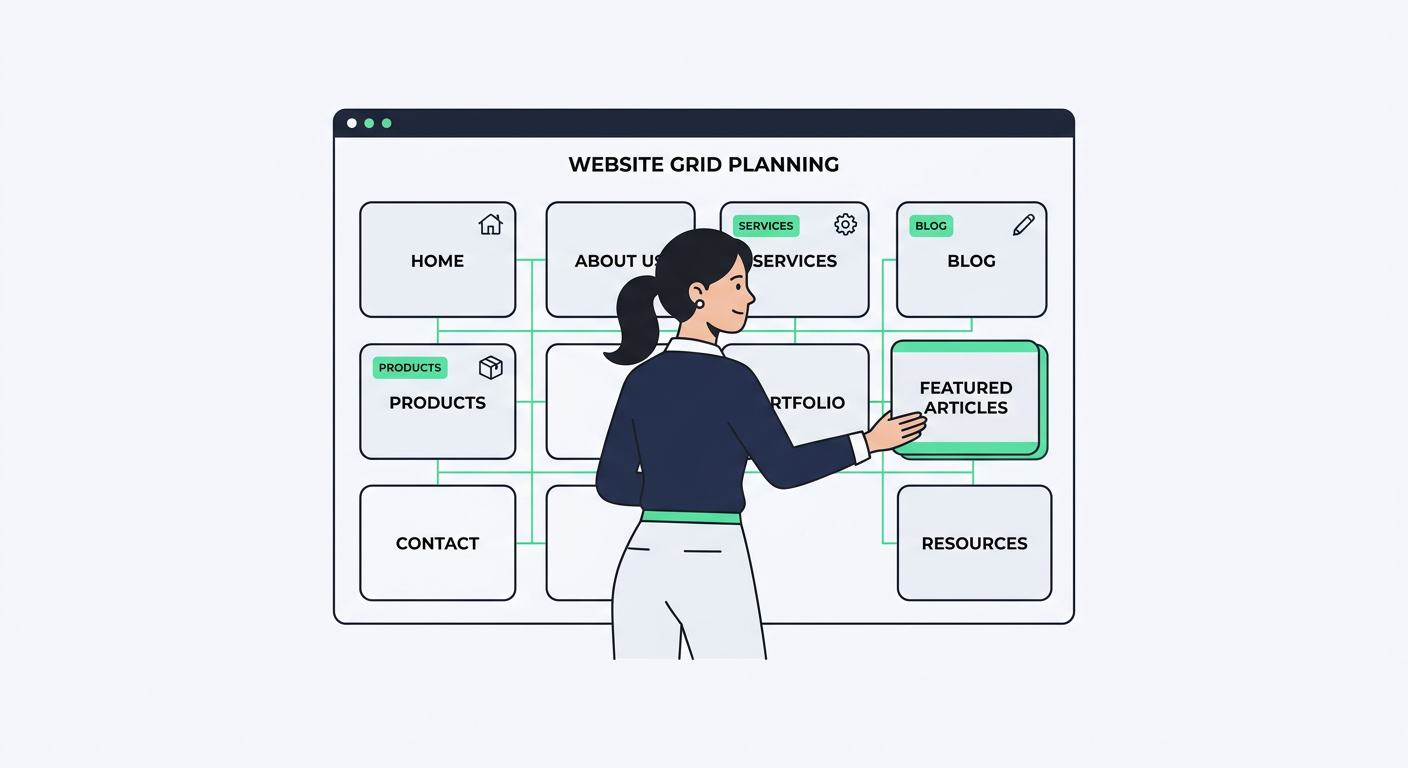
The Most Useful Schema Types for AI Visibility
You don’t need every schema type under the sun. In fact, adding random markup can create more confusion than value. Start with the schema types that match your actual pages.
Organization Schema
Organization schema identifies your company as an entity. It can include your brand name, logo, URL, social profiles, founder, contact details, and other brand attributes.
This is usually the first schema type I’d add to a business website. If AI tools can’t confidently understand who owns the site, what the brand does, and how it connects to other profiles, the rest of your optimization has a weaker foundation.
WebSite Schema
WebSite schema defines your domain as the official website for your brand. It’s simple, but it reinforces ownership and identity.
Use it on your homepage or sitewide through your theme. Pair it with Organization schema so your brand and domain reinforce each other.
Article Schema
Article schema is useful for blog posts, tutorials, guides, glossary pages, and educational resources. It can include headline, author, publish date, update date, image, publisher, and page URL.
For content marketing, this is a big one. AI tools need to know whether a page is a guide, a sales page, a product page, or a profile. Article schema helps label educational content properly.
Product Schema
If you sell physical products, software, templates, courses, or digital goods, Product schema can clarify the item name, description, image, brand, SKU, price, offers, and reviews.
Be careful here. Only mark up pricing, availability, and reviews that are visible on the page and accurate. Misleading product schema can damage trust and create quality issues.
Service Schema
Service schema works well for agencies, consultants, contractors, SaaS firms, and local providers. It can describe what you offer, who provides it, and where it’s available.
For service businesses, this helps connect your brand to specific commercial topics. Instead of being a vague “marketing company,” you can define your actual services, such as technical SEO audits, content planning, ecommerce optimization, or AI visibility audits.
FAQPage Schema
FAQPage schema maps common questions to clear answers. It’s especially useful on educational pages, service pages, and support content.
Don’t add FAQs just to add markup. Add them because users actually have those questions. The best FAQs handle objections, clarify definitions, and answer follow-up intent that didn’t fit neatly in the main body.
BreadcrumbList Schema
BreadcrumbList schema shows where a page sits within your site hierarchy. That helps systems understand whether a page is part of a blog, product category, glossary, resource hub, or service section.
This matters for topical authority because a single page rarely works alone. Your internal structure helps show how pages relate to each other.
A Simple Schema Workflow for Day 7
By Day 7 of an early stage visibility plan, you probably don’t need an enterprise knowledge graph. You need a clean foundation that won’t break your site.
Start small, validate everything, then expand.
Step 1: Pick Your Core Entity
Your core entity is the main thing your website represents. For most businesses, that’s your Organization. For personal brands, it might be a Person. For ecommerce brands, it may be both Organization and Product.
Write down your official brand name, homepage URL, logo URL, social profiles, founder or team details, and short business description. Make sure the same information appears visibly on your site, especially on your homepage and about page.
Step 2: Map Page Types
Next, group your pages by purpose. Your homepage may need Organization and WebSite schema. Blog posts need Article schema. Product pages need Product schema. Service pages may need Service schema.
This prevents the classic mistake of adding the same generic schema everywhere. AI tools don’t need more noise. They need cleaner labels.
Step 3: Add JSON-LD
JSON-LD is usually the easiest format to manage because it sits in a script block without disrupting your visible page layout. Many CMS plugins can generate it automatically, but manual control is useful for high-value pages.
Here’s a simple Article schema example:
{
 "@context": "https://schema.org",
 "@type": "Article",
 "headline": "Schema Markup for AI Visibility",
 "description": "A practical guide to using structured data to help AI tools understand your brand and content.",
 "author": {
 "@type": "Person",
 "name": "Jane Smith"
 },
 "publisher": {
 "@type": "Organization",
 "name": "Example Brand",
 "logo": {
 "@type": "ImageObject",
 "url": "https://www.example.com/logo.png"
 }
 },
 "datePublished": "2026-07-13",
 "dateModified": "2026-07-13"
}
Step 4: Validate Before Publishing
Before you publish, test your structured data with the Schema Markup Validator. This helps catch missing required fields, formatting problems, and schema that doesn’t match the page.
Validation doesn’t mean you’ll automatically get special treatment in Google or AI answers. It simply confirms that your markup can be read properly.
Step 5: Track the Pages That Matter
Once your core pages have schema, watch how they perform. Don’t obsess over daily movement. Look for patterns across impressions, clicks, rankings, AI mentions, and branded demand.
A tool like the Marvlus keyword tracking tool can help you monitor page movement after you improve content structure, internal links, and metadata. Schema is one signal, so measure it alongside the rest of your optimization work.
Schema and Topical Authority Work Together
Schema gives machines labels. Topical authority gives them confidence.
If you publish one article about AI visibility, you’ve created a page. If you publish a connected cluster covering definitions, tutorials, comparisons, checklists, FAQs, and examples, you’ve created a knowledge base. Schema helps clarify each piece of that knowledge base.
That’s why internal linking matters so much. A glossary page can link to a beginner guide. A beginner guide can link to a checklist. A checklist can link to a tool or service page. Together, those pages create a stronger entity map.
For a deeper breakdown of that strategy, read the Marvlus guide on what topical authority is. It pairs naturally with schema because both are about making your expertise easier to understand.

Common Schema Mistakes That Hurt Clarity
Schema is simple in concept, but it’s easy to overdo. The goal is not to impress validators. The goal is to describe the page honestly.
Marking Up Content That Isn’t Visible
If your schema says the page has reviews, pricing, or FAQs, those elements should appear visibly on the page. Hidden or mismatched data creates trust problems.
AI systems are getting better at comparing code, page copy, and broader brand signals. Keep everything aligned.
Using the Wrong Schema Type
A service page is not always an Article. A blog post is not a Product. A category page is not the same as a specific item.
Choose the most accurate schema type, not the one you hope will create the biggest result. Accurate markup builds stronger long-term clarity.
Duplicating Conflicting Schema
This happens a lot with plugins. Your theme adds Organization schema, your SEO plugin adds another version, and a page builder adds a third. Suddenly, your logo, brand name, or social profiles conflict.
Run periodic audits so your schema tells one consistent story.
Forgetting Authors and Dates
For educational content, author and date fields matter. AI tools and Google both care about freshness, credibility, and who created the content.
Make sure your author bios are visible, your dates are accurate, and your About page supports the expertise your schema describes.
Treating Schema as a One-Time Task
Your business changes. Products change. Pricing changes. Authors leave. Pages get updated. Schema should change with them.
Add schema review to your monthly content maintenance checklist. It takes less time to maintain clean markup than to fix years of drift later.
A Practical Schema Checklist
Use this checklist before you add or update schema on any important page:
- Does the schema type match the visible page purpose?
- Is the brand name consistent across the site?
- Does Organization schema include the official logo and profiles?
- Do Article pages include author, publisher, publish date, and update date?
- Do Product pages show the same price and availability as the markup?
- Are FAQ answers visible on the page?
- Are breadcrumbs accurate?
- Has the markup been validated?
- Are duplicate schema blocks creating conflicts?
- Does the page have useful internal links to related content?
This is where early stage brands can punch above their weight. You may not have thousands of backlinks or massive brand demand yet, but you can make your site remarkably clear.
How to Prioritize Schema by Business Type
Different websites need different schema foundations. Don’t copy a SaaS setup if you run a local bakery, and don’t copy an ecommerce setup if you sell consulting.
For Local Businesses
Start with Organization or LocalBusiness, WebSite, Service, FAQPage, and BreadcrumbList. Add location, phone number, hours, and service area where appropriate.
Make sure your name, address, and phone details match your visible page copy and external profiles.
For Ecommerce Brands
Prioritize Organization, WebSite, Product, Offer, Review, BreadcrumbList, and FAQPage. Product schema should be accurate and maintained carefully.
If you have hundreds of products, use your ecommerce platform or plugin to generate markup at scale. Then manually review your top revenue pages.
For Bloggers and Publishers
Focus on Organization or Person, WebSite, Article, BreadcrumbList, and FAQPage. Author credibility is especially important here.
Add short author bios, updated dates, and strong internal links between related articles. Schema works better when the content ecosystem is clear.
For SaaS and Service Brands
Use Organization, WebSite, SoftwareApplication where relevant, Service, Article, FAQPage, and BreadcrumbList. Clarify your product category, pricing model, audience, and use cases.
You can also use comparison content, use-case pages, and glossary pages to strengthen entity associations. If you’re building an AI visibility plan, a free AI website audit can help identify gaps in schema, content structure, and answer-friendly formatting.
How Schema Fits Into AI Visibility Strategy
Schema is one layer of AI visibility, not the whole system. Your content still needs clear answers, useful examples, internal links, current information, and proof that your brand knows the topic.
A strong strategy usually includes:
- Clear entity definitions on key pages
- Consistent brand information across your website
- Helpful content clusters around your core topics
- Schema that matches each page type
- Fresh statistics and trusted sources when needed
- Fast, crawlable pages
- Internal links that connect related topics
- Clear author and company credentials
In other words, structured data supports the story your website already tells. If that story is vague, schema won’t fix it. If that story is strong, schema helps machines read it faster.
Build a Clearer AI Visibility Foundation
If you want a quick way to see how your site looks to AI tools and Google, run a free Marvlus AI website audit. You’ll get a plain-English view of visibility gaps, content structure issues, and practical fixes you can prioritize without getting buried in technical jargon.
Use it as your Day 7 checkpoint. Once your foundational content is live, schema and structure become the next smart layer.
Frequently Asked Questions
What is schema markup in simple terms?
Schema markup is code that labels the meaning of your page content for machines. It tells systems whether a page is an article, product, service, organization profile, FAQ, video, or another type of asset.
Does schema markup directly improve rankings?
Not by itself. Schema helps systems understand your content, which can support eligibility for enhanced results and clearer interpretation. Rankings still depend on content quality, relevance, authority, technical health, and user satisfaction.
Is JSON-LD better than other schema formats?
For most website owners, yes. JSON-LD is easier to add, update, validate, and manage because it doesn’t require wrapping visible page elements in special HTML attributes.
Which schema type should I add first?
Start with Organization and WebSite schema on your main site, then add page-specific schema such as Article, Product, Service, FAQPage, and BreadcrumbList based on the page type.
Can too much schema hurt my site?
Too much inaccurate schema can create confusion. The risk is usually not volume alone, but mismatched, duplicated, outdated, or misleading markup. Keep it accurate and aligned with visible page content.
Should small businesses use schema markup?
Absolutely. Small businesses often benefit from schema because they need stronger clarity signals. Organization, LocalBusiness, Service, FAQPage, and Article schema can help explain who you are and what you offer.
How often should I update schema?
Review schema whenever you update pricing, products, services, authors, business details, or important content. For active sites, a monthly check is a smart habit.
Final Thoughts
Schema markup for AI visibility is really about clarity. You’re helping machines understand the same things your best customer should understand: who you are, what you offer, what your content explains, and why your brand deserves attention.
Start with your core entity, mark up your most important pages, validate the code, and connect it to a broader content strategy. You don’t need to be overly technical. You just need to be accurate, consistent, and useful.
That’s the kind of foundation AI tools can understand, and the kind your audience can trust.